
The playtest is over, and the table is covered with notes. Players misunderstood one rule, a turn took longer than expected, and someone suggested a change that might affect the whole game. AI PPT Maker can help organize those observations into a presentation draft for the design discussion.
For tabletop game creators, the presentation is not the finished product. It is a way to explain what the team observed and which changes it wants to test.
I would evaluate AI PPT Maker on whether it keeps that experimental character visible. A well-designed deck should not make a tentative idea look like a settled solution.
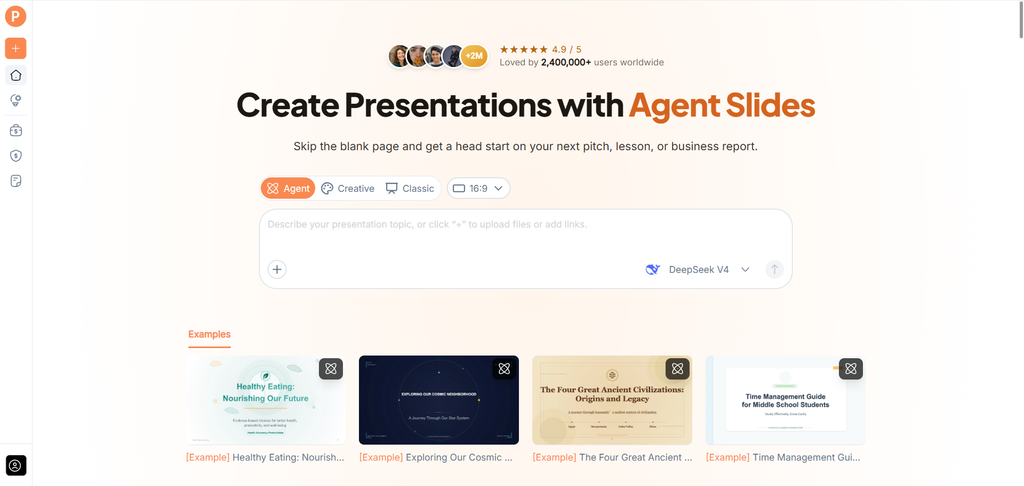
(Create presentations with AI PPT Maker)
Begin with the Version That Was Tested
A playtest report needs a clear starting point.
Record the game version, the rules used, and the purpose of the session. If the group was testing a particular change, explain it.
Without that context, colleagues may discuss an observation as though it applies to the current design when it belongs to an earlier version.
Give AI PPT Maker the version information and the meeting’s purpose before generating the draft.
State What the Session Could Tell You
A session may explore whether players understand a rule, whether a sequence is practical, or how a proposed mechanism behaves.
Those are different questions.
Write the test question in plain language. It helps the presentation focus on the observations relevant to that question.
AI PPT Maker can help organize the explanation, while the designer decides what the session actually supports.
Separate What Happened from What Players Suggested
Playtest notes often combine several types of information.
You may have recorded behavior, comments, questions, and proposed solutions. Keep those categories distinct.
A player asking how a rule works is an observation. A suggestion to replace the rule is a possible response. The two should not become one conclusion.
I would assess the draft on whether it preserves that distinction.
Keep the Evidence Specific
“Players were confused” may be too broad.
Describe the actual moment: which instruction needed clarification, what the players did, and how the facilitator responded.
If the same issue appeared in multiple sessions, state that accurately. If it occurred once, retain that limit.
AI PPT Maker should help explain the observation without turning it into a general verdict on the game.
Mixed Input Fits a Prototype’s Scattered Material
AI PPT Maker supports mixed input across Agent, Creative, and Classic.
For this task, you could provide a rules document and add a reviewed playtest summary with instructions about the discussion.
Text and uploaded files, including DOC, DOCX, and PDF documents, give you ways to use material you already have.
You do not need to rewrite the entire rulebook as a prompt.
Tell the Draft Which Document Governs the Rules
Prototype files change quickly. Make clear which rules version was used in the session.
A useful request could be:
Create an internal playtest review presentation from these notes and the rules version identified. Explain the test question, observations, player suggestions, and proposed next experiments. Keep observed behavior separate from interpretation. Do not invent results or describe proposed changes as proven improvements.
This sets the draft up for a review rather than a promotional pitch.
Agent Helps Develop the Design Explanation
Agent mode in AI PPT Maker supports multi-round conversation.
If the first draft describes a rule problem without enough context, a follow-up could say:
Explain the sequence leading to this question using the session notes. Keep the current rule separate from the proposed revision.
Another could ask for a clearer comparison between two candidate changes.
The benefit is being able to add specific context as you inspect the draft.
Agent exports PPTX, allowing you to continue editing in PowerPoint and add actual prototype images.
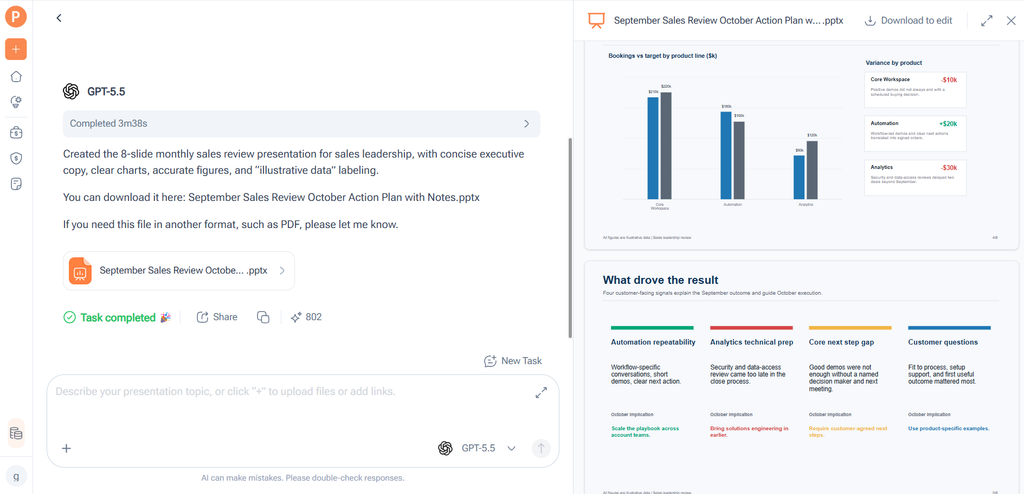
(AI PPT Maker Agent presentation preview)
Outline Review Can Keep the Discussion Focused
All three modes in AI PPT Maker allow outline review and adjustment before generating slides.
I would check whether the deck explains the test question before the observations, then gives the proposed responses enough space.
A useful structure might include:
- The prototype version and session purpose.
- Relevant rules or mechanisms.
- Selected observations.
- Possible explanations.
- Candidate changes.
- The next test and what it should examine.
This helps prevent a meeting from becoming a list of unrelated suggestions.
Give Each Proposed Change a Hypothesis
A rule revision should have a reason to test it.
Perhaps a clearer instruction may reduce repeated questions. Perhaps changing the sequence may make a decision easier to understand.
Describe the expected effect as a hypothesis, not an established result.
AI PPT Maker can help organize the proposal when you provide that reasoning.
The next playtest supplies evidence about whether the change does what you hoped.
Use Real Prototype Material Where It Matters
A photograph of the tested layout or an image of the actual card can make a rule discussion easier.
Add those materials after export and check that the relevant text is readable.
Agent includes AI image generation. That can support clearly labelled concept illustrations, but it should not imply that a proposed component existed in the tested version.
For evidence about the session, use actual approved prototype material.
AI PPT Maker’s visual features are most useful when they clarify the discussion.
Choose the Mode Around the Next Revision
Agent and Classic support PPTX downloads in AI PPT Maker. That suits a presentation likely to change as the design develops.
Classic provides a template-based approach with more than 1,000 templates available. A consistent page structure can help the team compare observations and proposals.
Creative exports PNG images. I would consider whether that format fits the review or whether editable text in PowerPoint is more useful.
Classic also offers PDF, Keynote, and outline downloads in TXT or Markdown.
Review the Structure Without the Design
An outline download can help you inspect the argument separately from the visual presentation.
Does each proposed change connect to a recorded observation? Is the next test question clear?
These are useful checks before a polished deck makes every idea look equally developed.
Other options include PPT Maker and NoteGPT’s AI Slide Generator. I would judge the AI PPT Maker draft by how well it supports the next experiment.
Start with One Mechanism, Not the Entire Game
My first evaluation would use a small set of notes about one mechanism or rule sequence. That makes the output easier to verify.
AI PPT Maker is worth assessing as a way to turn playtest notes into a clear design discussion. Start with the tested version, separate observations from suggestions, and inspect the outline before generating slides. Try AI PPT Maker(https://aipptmaker.ai/) for your next prototype review, then finish the deck with actual game material. Keep PPT Maker(https://pptmaker.io/) in mind as another option as your design workflow develops.
