
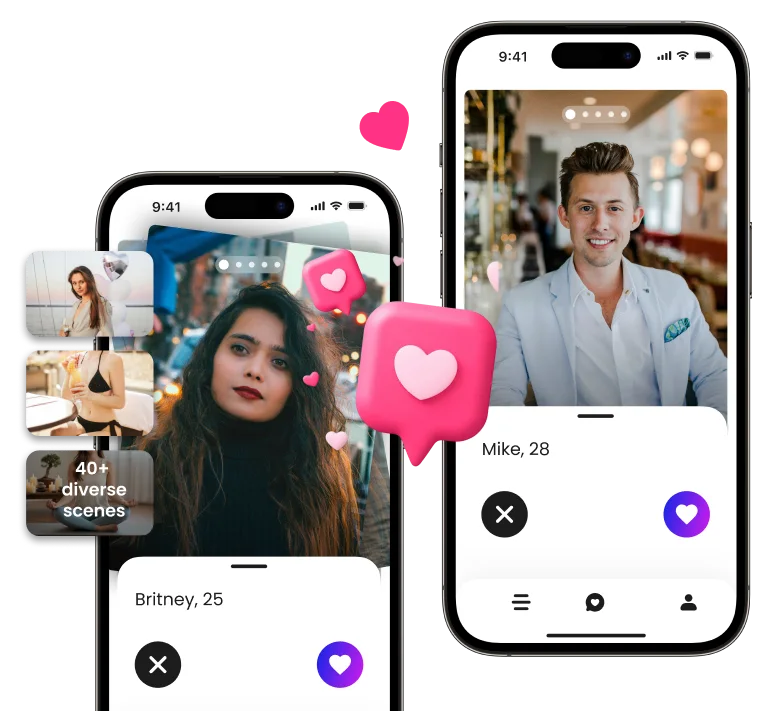
AI dating photos went from a weird novelty to a normal Tinder strategy in about eighteen months. Profiles that used to live or die on a single good selfie now routinely include three or four AI-generated shots. The catch is that most people are still doing it wrong. They upload a couple of selfies, hit generate, and post whatever the tool returns. The result looks slightly off, matches comment on it, and the whole experiment leaves a sour taste.
This guide walks through how to actually use AI dating photos for Tinder in 2026 without ending up with a profile that screams “this is not me.” It assumes you have decent selfies, no photographer on retainer, and zero patience for results that look plastic.
What AI dating photos really are
The term covers two different things, and the difference matters.
The first kind is an AI-stylized portrait. You upload a face, pick a “look,” and the tool returns a version of you with smoother skin, different hair, and a background that has nothing to do with your life. These are easy to spot. They tend to make everyone look like a 26-year-old realtor.
The second kind is what serious dating photo tools generate: scene-based photos that preserve your actual face and add realistic context around it. The face stays yours. The lighting, the location, and the framing change. Done well, the result looks like a friend with a good camera went for a walk with you.
Tinder rewards the second kind. The first kind gets flagged by matches faster than you think.
Step 1: Prepare your selfies
The quality of your output is bounded by the quality of your input. Tools that promise “great photos from any selfie” are overselling. You can get usable results from average selfies. You cannot get usable results from blurry, badly lit, or heavily filtered selfies.
Practical checklist before you upload:
- Use 8 to 15 selfies, not 2 or 3
- Vary the angle: front, three-quarter, slight side
- Vary the expression: neutral, soft smile, slight laugh
- Vary the clothing: not all gym tees, not all dress shirts
- Even, natural light beats studio light from a phone flash
- No sunglasses, no hats covering the face, no group shots
Most failed AI dating photo runs trace back to under-sampling the source set. The AI needs enough material to learn your face from multiple angles. Five front-facing selfies in the same shirt is not enough.
Step 2: Choose scenes that fit your lifestyle
This is where most people sabotage their own profile. They pick aspirational scenes (yacht, sports car, business class) instead of believable scenes (coffee shop, casual outdoor, dog park, gym).
For Tinder specifically, believable beats aspirational. The match swiping on you is looking for a real person, not a profile from a luxury magazine. A coffee shop photo with natural window light reads as “this person has a normal life.” A yacht photo reads as “this is probably a stock photo.”
This Tinder photo tool handles scene selection well because the model is tuned specifically for Tinder, Bumble, and Hinge instead of general “AI headshots.” The Pro plan delivers 140 photos across 35 scenes for $49, which is enough variety to build a real lineup without buying the maximum tier.
Pick four to six scenes that overlap with how you actually spend your free time. If you do not lift, skip the gym scene. If you do not have a dog, skip the dog park scene. The goal is not to invent a personality. The goal is to surface the one you already have.
Step 3: Pick a model that handles dating photos well
Not all AI photo generators are tuned for dating apps. Some are LinkedIn-first and produce photos that look great on a resume but flop on Tinder. Some are general portrait tools with a “dating” preset bolted on.
Three quick checks before you commit credits to a tool:
- Does it tune outputs by app (Tinder vs. Bumble vs. Hinge)? If not, you are getting generic dating photos.
- Does it offer scene variety relevant to dating, not headshots? Coffee shop, beach, gym, dog park, outdoor, casual portrait. If the scenes are all studio backgrounds, walk away.
- Does it give you a way to filter the realistic photos from the artificial-looking ones? This is the single biggest quality differentiator in 2026.
If the tool fails the third check, you are doing the filtering manually by eye, which is slow and unreliable.
Step 4: Generate and review with the realness check
Once your photos generate, do not just download the lineup and post it. Treat it like a content review pass.
Most reasonable tools now ship with some form of photo scoring. The scoring rates each output on how natural it looks. Photos that look AI-generated score low. Photos that look like a real camera captured a real moment score high.
An AI tool that scores photo realness is genuinely useful here because it externalizes a judgment most people are bad at making about themselves. You look at your own AI photo and ask “do I look weird here?” Your brain says no because you are seeing your face, not the artifacts. The score is more honest.
A simple rule: any photo scoring below 70 should not go in your lineup. Even if it looks fine to you, it is one of the photos that will trigger the “wait, is that AI?” reaction in a match.
Step 5: Build your six-photo Tinder lineup
Tinder lets you upload up to nine photos. Most strong profiles use six. Here is a layout that works:
- Photo 1: Clear face, direct eye contact, neutral or soft-smile expression. Natural light.
- Photo 2: An activity or context shot (coffee shop, outdoor walk, casual scene)
- Photo 3: A different scene with you doing something or somewhere identifiable
- Photo 4: A polished but warm photo (casual portrait, not a studio headshot)
- Photo 5: A social or activity signal (gym if it fits, hiking, sports, hobby)
- Photo 6: Something that adds personality or closes the loop (pet, travel, food, hobby item)
Mix AI photos with real ones. A six-photo profile that is 100% AI usually reads as inauthentic. Three AI photos and three real ones is a balanced split. If a real selfie is your strongest photo, put it at position 1 even if the AI shots are technically prettier.
Step 6: The 24-hour gut check
Before you go live with the new lineup, save it as a draft and close Tinder. Come back to your profile in 24 hours and look at it like you are seeing yourself for the first time.
Ask:
- Does this person feel like one consistent human, or a slideshow of slightly different people?
- Is there a single photo that looks “off” even if you cannot say why?
- Would a friend who knows you recognize all six photos as you?
If any photo fails the gut check, swap it. The cost of getting Tinder photos wrong is invisible (just fewer matches, with no feedback). The cost of getting it right shows up in the inbox within a week.
Common mistakes
The most common mistake is generating photos and posting them without filtering. Even a good tool produces some weak outputs. Posting all of them undermines the strong ones.
The second mistake is over-stylizing. Tools let you ask for “cinematic,” “magazine,” or “moody” looks. Tinder is not a fashion magazine. Photos that look like an editorial spread feel performative. Restraint outperforms intensity every time.
The third mistake is replacing your face. Some tools, with the wrong prompt, will subtly reshape your jaw, lighten your skin, or de-age you. The result looks beautiful and like a different person. Matches notice on date one, and the conversation gets awkward.
The fourth mistake is putting an AI photo in slot 1. The first photo is the highest-stakes slot in your profile. Use your strongest real photo there. Save the AI shots for positions 2 through 6 where they support rather than lead.
FAQ
Can Tinder detect AI dating photos?
Tinder rolled out internal photo scoring in early 2026 that flags photos with strong AI artifacts (smooth skin overshoots, mismatched lighting, impossible reflections). Well-tuned dating photo tools that preserve your real face and add realistic scenes do not usually trigger the flag. AI-stylized portraits with reshaped faces and stock-style backgrounds often do.
How many AI photos can I safely use on a Tinder profile?
Three to four AI photos out of six total is a balanced ratio. Going above five out of six starts to look artificial as a whole even if no single photo is obviously AI.
What is the best scene for a first Tinder photo?
The first photo should not be a scene-heavy shot. Use a real selfie or a clean AI portrait with a simple background and clear eye contact. Save the scene-based AI photos for positions 2 through 6.
How much should I pay for an AI dating photo tool?
The reasonable price band in 2026 is $29 to $79 one-time. Anything subscription-based is overcharging for dating use because you only need one good batch. Tools in this band usually deliver 80 to 200 photos across enough scenes to build a profile.
Will matches ask if my photos are AI?
Some will. The right answer is honest: “A few of them are AI-enhanced photos of me, not AI-invented faces.” Most people understand the difference. The problem only shows up when the photos are unrecognizable in person, which is what Step 6 prevents.
Final advice
AI dating photos for Tinder in 2026 are not a shortcut around dating well. They are a way to make a better first impression so the actual conversation gets a chance to happen. The tools work when you treat them like a photographer you are directing, not a filter that fixes you.
Start with strong selfies. Pick scenes that fit your life. Use a tool tuned for dating apps. Filter ruthlessly. Mix AI photos with real ones. And run the 24-hour gut check before you go live. Do those six things and your profile will look better than 80% of what is currently on Tinder, without crossing the line into something that does not look like you.
